
AI chat
You ask a question, receive an answer and decide every next step. The work pauses when the conversation pauses.
Hodman has the tools and project context to carry out a task, check the result and bring it back for your review.
From answer to outcome
AI chat
You ask a question, receive an answer and decide every next step. The work pauses when the conversation pauses.
Hodman AI teammate
You assign an outcome and review boundaries. The agent decides the working steps, uses approved tools, verifies the result and reports what finished.
Give it the result you need, the context it may use and the decisions that still require you.
It breaks the task into steps, chooses approved tools and can create focused work for helper agents.
It reads outputs, runs relevant checks and investigates failures before bringing the work back for review.
Accepted feedback updates project memory, working rules and reusable workflows, so the next run starts with what you already taught it.
Give it access. Give it a task
Connect Google Drive and ask for a competitive analysis, a document draft, a summary or an update to a shared file.
Connect the CRM, ask what is hurting conversion or schedule an evening report with the changes that need attention.
Let it read assigned work, update statuses and prepare follow-ups, so routine tracker work can happen from your conversation.
Give it a question and the required depth. It gathers sources, reads the material and returns a structured result you can inspect.
In your team’s chat
Work with Hodman in Telegram, Slack, Microsoft Teams or Mattermost. It can follow up on unfinished work and ask for your input. In this Telegram example, it checks whether you have reviewed two landing page previews on your phone and waits for feedback before changing the content.
 Telegram
 Slack
Slack Microsoft Teams
 Mattermost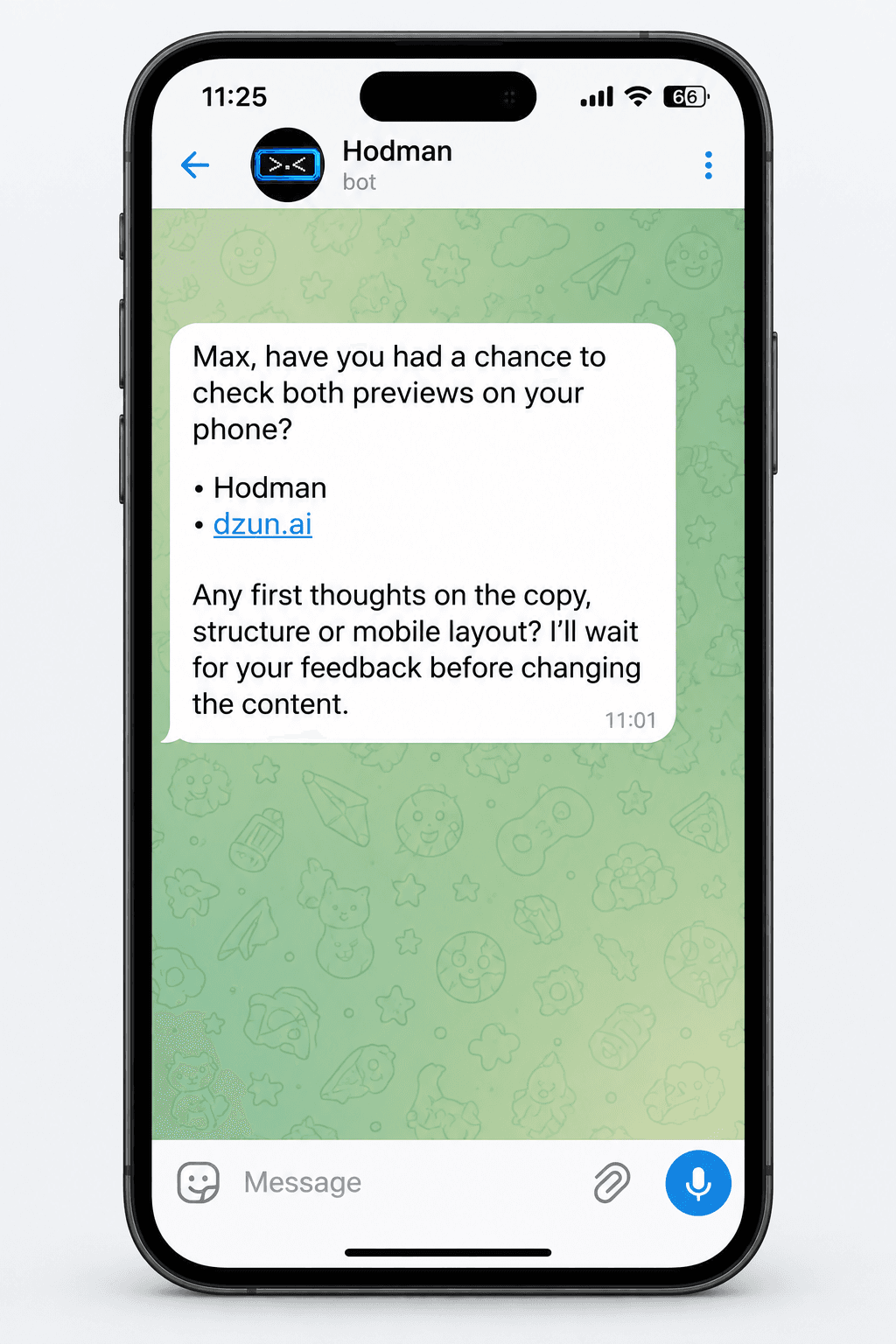
Tasks, decisions and durable context stay with the project, so the next run can continue from the work already done.
It can return to scheduled checks, surface unfinished items and suggest help with tasks on your agenda.
For work that separates cleanly, the agent can create tasks for other project agents, review their outputs and bring the results together.
Connect a supported ChatGPT subscription and use it as the AI source for project work.
It can browse the web, read supported PDFs, inspect code and data, run commands and generate images when the task calls for them.
Why Hodman
Choose how much of the setup you want to manage, how you pay for AI and what your agent can build on.
The choice
Running an open-source agent yourself gives you control over its setup. You also take on installation, updates and the environment it runs in.
With Hodman
We learn from open-source agents and bring useful approaches into Hodman. Hosted agents come with a working environment, tools and project memory, so you can start with a task instead of assembling the stack.
The choice
Many hosted agent services bundle AI usage into credits. Larger tasks use more of that balance.
With Hodman
Connect a supported ChatGPT subscription and let your agent work from it. You pay Hodman for the service; buying our AI Credits is optional. Your subscription’s usage limits still apply.
The choice
Connecting agents to existing tools covers many workflows. Some tasks also need a custom application, its own data and an interface your team can use.
With Hodman
Hodman keeps application code, backend, database, preview and publishing alongside agent tasks. People use the web interface; agents can reuse the same application and its integrations through project connectors you authorize.
Create a project that connects to your CRM and shows a dashboard. Give another agent access through a project connector, and it can use that project to prepare a report. The CRM connection stays in the original project.
Give the agent a task with a clear outcome, the access it needs and the decisions that still require you.